

NOTE: This is a cross-post from the original on Stream Team itself!
My love for TV and movies aside, one of the other reasons I started Stream Team last year was to put my stake in the ground as a real Mighty Networks Host (to better support my day job and really “live” with our evolving platform and features).
The result has been (and will continue to be) countless small improvements and bug fixes that we’ve made to the overall Mighty platform for all Hosts. 🤝
In the interest of opening the curtain a bit on how I keep things running with fairly minimal effort, here’s how I’ve set things up, along with tools that I’ve found useful:
Daily Polls and Questions

We often talk about these being a secret weapon for bringing people back into your community every day, and this isn’t just hype. I’ve found that establishing a general time that people expect a new question (for me it’s 10am PT) works well.
I spend maybe an hour or two early every Saturday morning tending to my larger little empire, and part of this is scheduling the upcoming week’s Stream Team daily polls and questions. I’d say it takes maybe 15-30 minutes, then I’m set through the week.
My process is that I give a prompt to ChatGPT (sometimes Claude) that’s similar to the following:
For a community of movie and tv lovers, make 100 daily icebreaker-style questions that are super weird, funny, often uncomfortable, or that force hard choices. Feel free to make some open-ended and some with up to 5 answers (none correct, just gathering preferences). Feel free to use actor, director, movie or tv show names.
From there I see if there’s any immediate gold, or I regenerate/manually adjust them as needed. If I know there’s a big movie release, show premiere or awards show coming up, I’ll often insert some topical questions to spice things up.
I track them all in a little Google Sheet to ensure that I haven’t repeated myself.
I’ll note that as Mighty has been improving the Infinite Question Engine in the past few months, I’ve been starting to use some of its suggestions, which has been exciting to see, and is starting to save me some time.
Weekly Quizzes
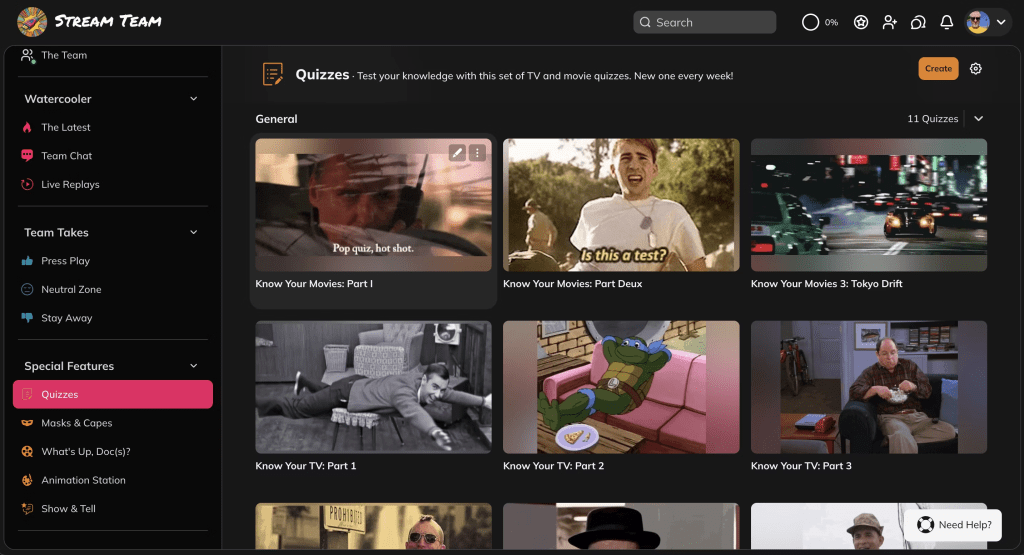
After experimenting for a while, I’ve landed on weekly as a good quiz cadence. I do a simple 10-question quiz every Saturday, and for this I use the Courses feature, but without any Lessons added, just Quizzes. The recent update to show a Netflix-style grid view has made this look super hot.
My process for this (also on Saturday mornings, about 15-30 minutes tops) is that I’ve created a little custom GPT with the following simple instructions:
Take the prompt and based on it, make a 100-question quiz with 4 answers per question, indicating the correct answer.
I just enter a TV or movie-related topic that inspires me (as noted above, this can sometimes be topical depending on what’s going on in the entertainment world), then grab questions that are decent/relevant.
For non-obvious answers, I keep a second tab open to sanity check accuracy against another source (as we all know, AI hallucinations are a real thing, so I always sanity check). For this I either use Perplexity (which cites sources) or a standard Kagi search.
Monthly(ish) Livestreams

My wife and I started doing these as an experiment, and our good friends Jeremy and Jackie have made this a pleasure. We’ve even started to get special guests that come on with us almost every time now!
The four of us have a growing list of potential future discussion topics, and once we decide what the next one will be, both couples watch the movie separately shortly before the discussion stream, which we typically do on Sundays at 3pm PT once a month. I then spend maybe 45 min-1 hour the day before setting up a light discussion agenda (just a simple Google Doc that I reference during the stream).
I’ll often lean on ChatGPT or Perplexity to summarize the basic plot points into 7-10 sections (to help me break things up into conversation segments), but good old Wikipedia is also super useful, supplemented with additional web research as needed.
Ad Hoc Content Sharing

I read far too many sources around the web every day, and when I find something new (be it a trailer debut, breaking news, a celebrity death, etc.) I share the link to The Latest as a Quick Post, usually with a simple one-line comment.
Super easy, and I hope we/Mighty can soon add the ability to share directly via the iOS share sheet, which will make things easier still. I’ll make some calls.
Same thing goes for viewing recommendations (or warnings). I’ve set up three Spaces (Press Play, Neutral Zone and Stay Away) and I share to them freely, while of course encouraging members to do the same.
Automations and Badges
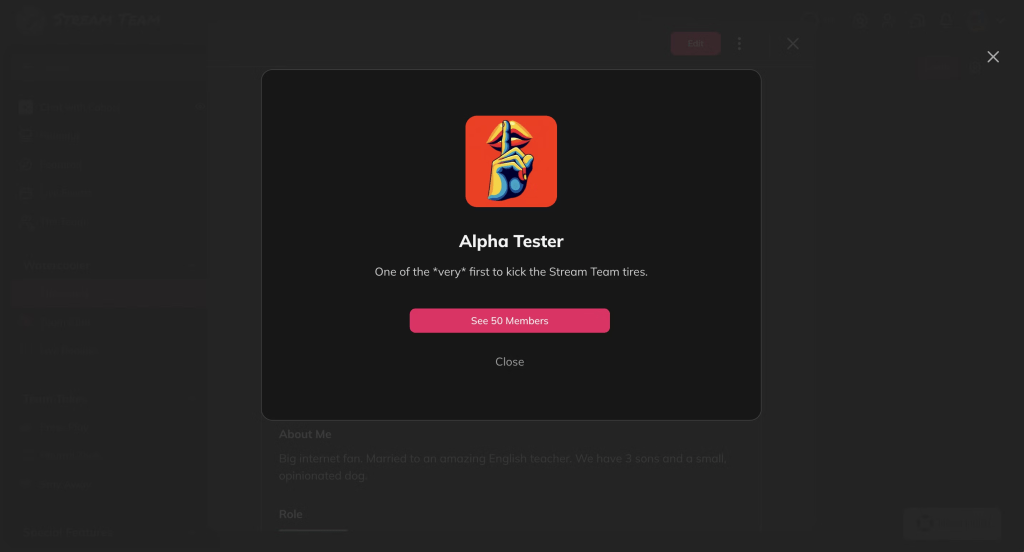
I love these features so much. I admittedly went a little too badge crazy over the first year, but here are some picks from my automation and/or badge combos that I’ve used:
- DM from me to welcome new members
- Unique badges for RSVPing to livestreams
- Unique badges for taking quizzes
- Badge for inviting members
- Badge for filling out certain profile fields
- Badge for signing in from the Mighty mobile app
- Badge for turning on push notifications on the mobile app
- Badges for hitting daily streak milestones
- DM from me if you’ve been inactive for 30 days
Hub and Spoke(s)

I try to link back to Stream Team from my other projects whenever it makes sense, and we’ve tried to widen our livestream reach a bit more with an audio podcast version of our discussions (which of course always links back to the community in the show notes).
That’s a wrap! Hope this is of use to any of you with your own communities, or those thinking about starting one!
 House of Kyle